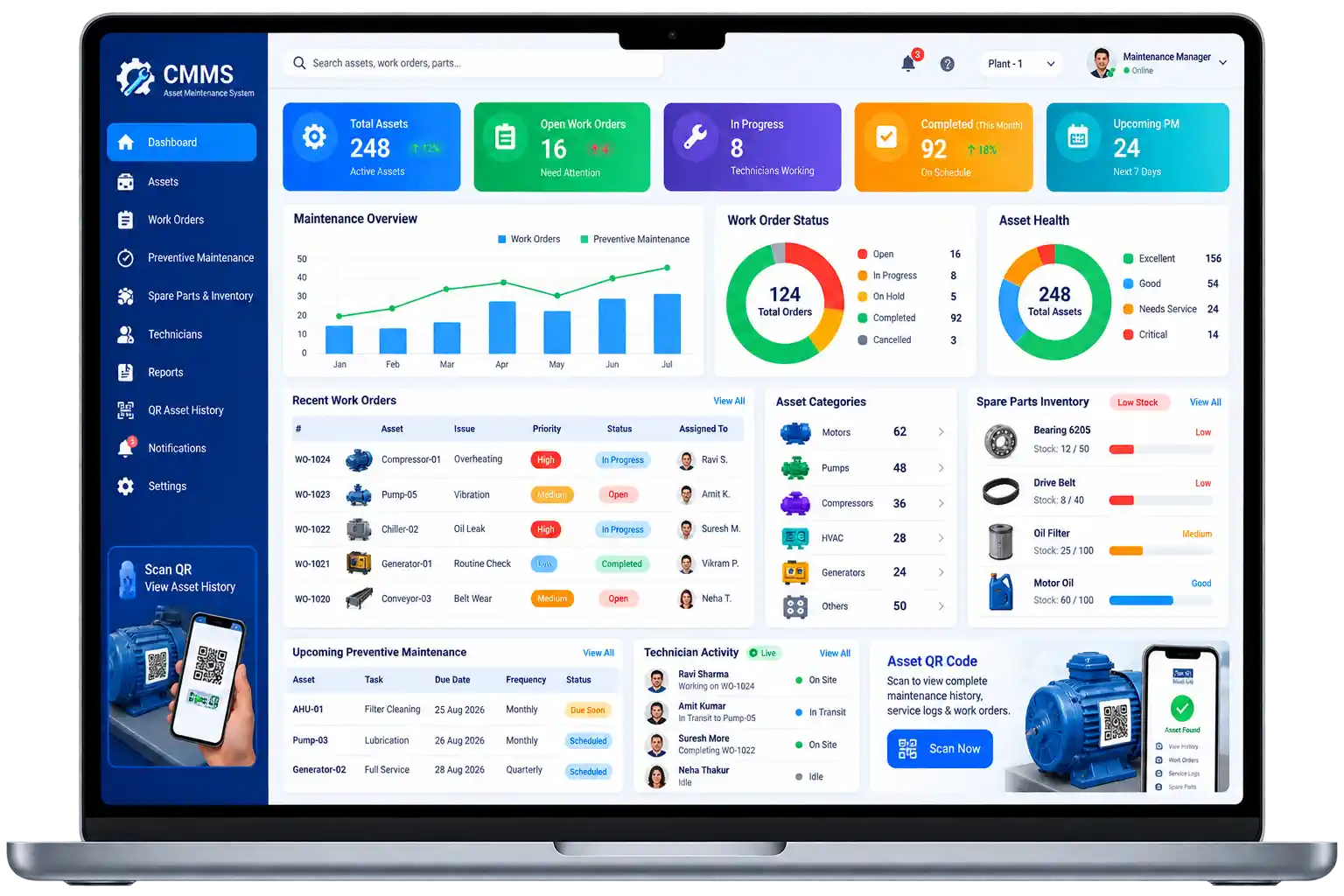
Track every asset, maintenance activity, work order, spare part, and technician from one connected digital platform.
Scenario A machine breaks down. Someone calls the maintenance manager. The manager writes a job card. A technician goes to look at it. The spare part needed is not in stock — or nobody is sure if it is. The repair happens eventually, but there is no record of what was done, what parts were used, or when the next service is due.
Most maintenance teams are not short on work. What they are short on is a reliable way to track it.
Multiply that across fifty machines, three shifts, and two facilities — and the paper-based maintenance process that seemed manageable becomes the thing that is causing the downtime it was supposed to prevent.
Our CMMS software replaces that entire chain with one connected digital platform. Every asset registered. Every maintenance activity scheduled and tracked. Every work order assigned. Every spare part logged. Every technician accountable. And every machine with a QR code that gives anyone who scans it the complete digital maintenance history of that asset.
MLAI Solution's Computerized Maintenance Management System gives maintenance managers, technicians, and facility teams a single platform to manage assets, schedule preventive maintenance, handle work orders, track spare parts, and report on maintenance performance — from one centralised dashboard.
A machine that was due for scheduled maintenance three weeks ago — but nobody tracked it and now it has broken down in the middle of a production run.
A technician going to a repair job with no information about what was done last time, what parts were replaced, or what the machine's service history looks like.
Spare parts that ran out because nobody tracked consumption against assets — and the reorder was placed two weeks too late.
No way to see — right now, without asking around — which machines are under active maintenance, which work orders are overdue, and which assets have warranty expiry coming up next month.
A maintenance manager whose entire workload visibility depends on a whiteboard, a phone, and memory.
These are not signs of a poorly run operation. They are signs of an operation that has grown beyond what paper-based maintenance management can handle. A proper CMMS system is designed specifically for this point.
CMMS software — short for Computerized Maintenance Management System — is a platform that helps organisations manage their machines, assets, maintenance activities, spare parts, and work orders through one centralised digital system.
MLAI Solution's computerized maintenance management solution is built around a simple but powerful idea. Every asset in the facility gets registered in the system with complete details — purchase date, warranty, location, responsible person, documents. The system then generates a unique QR code for that asset. The QR code is printed as a sticker and placed directly on the machine.
From that point, anyone who scans the QR code — a technician, an inspector, a maintenance manager — sees the complete digital profile of that machine. Maintenance history, upcoming service, open work orders, spare parts used, AMC status. Everything in one scan.
That QR code becomes the digital identity of every machine in the facility.
For organisations already using our AMC Management System, Guard Patrol System, or Helpdesk Management System — MLAI Solution's CMMS connects with the same platform for complete facility management in one place.
Every machine gets a unique QR code after registration. Scan it and you see the full asset profile — serial number, manufacturer, purchase date, warranty, maintenance history, open tickets, and spare parts used. Authorized users can update maintenance records, log inspections, and raise work orders directly after scanning. One QR code. Everything about that machine.
Complete digital records for every machine and equipment item — from purchase and installation through maintenance, repairs, warranty, and AMC. No paper files. No separate spreadsheets. Everything in one searchable, accessible system.
Create daily, weekly, monthly, quarterly, or annual maintenance schedules for every asset. The computerized maintenance management software sends reminders before service is due — so scheduled maintenance happens on time rather than after the breakdown that skipped maintenance was supposed to prevent.
Employees raise tickets when they experience a machine or facility problem — with issue description, location, priority, photos, and attachments. The maintenance manager assigns the ticket to a technician, the work is done, and the ticket is closed with full resolution history. SLA tracking ensures nothing stays open beyond its deadline.
When a breakdown or technical issue occurs, a work order is created and assigned to a technician. The full workflow is tracked digitally:
Every step is time-stamped and recorded. No verbal updates. No whiteboard statuses that are three days out of date.
The system tracks spare parts — stock quantity, stock in and out, minimum stock levels, low-stock alerts, parts consumption per asset, supplier information, and purchase records. When a technician uses a part on a repair, it is logged against that asset and that work order. The inventory updates automatically.
Maintenance managers assign work orders and maintenance tasks to technicians. The system tracks assigned tasks, pending jobs, completed work, and individual workload — giving managers real visibility into team productivity without chasing updates from the floor.
Every asset's AMC and warranty details are stored in the system — start and expiry dates, service provider, renewal dates, and service history. Reminders go out before expiry so renewals are handled on time and assets never fall out of warranty coverage without anyone noticing.
Different users see different things based on their role. Admins have full access. Maintenance managers see assets, work orders, technicians, and reports. Technicians see their assigned jobs and can update maintenance records. Employees can raise tickets and view permitted asset information. No user sees more than they need to.
| Asset | Technician | Status |
|---|---|---|
| CNC Machine #14 | R. Verma | Open |
| Chiller Unit B | S. Khan | In Progress |
| Compressor 3 | A. Singh | Closed |
| Conveyor Belt A | P. Nair | In Progress |
A new machine arrives. The administrator registers it in the system — serial number, purchase date, warranty, location, department, responsible person, and documents. The system generates a unique QR code. The QR code sticker goes on the machine.
Based on the asset type and manufacturer recommendations, a preventive maintenance schedule is set up. The system manages upcoming tasks and sends reminders before each service date.
An employee scans the QR code and raises a ticket, or a breakdown is reported directly. A work order is created and assigned to the right technician with full asset details attached.
The technician scans the machine's QR code, views the full maintenance history and open work order, carries out the repair, logs spare parts used, and updates the job status — all from their phone.
Once the repair is verified and complete, the work order is closed. The maintenance history updates automatically. The next preventive maintenance date is scheduled. The asset's digital record now includes this repair as part of its complete history..
Scheduled maintenance happens before breakdowns do. Technicians arrive at jobs with full asset history already in hand. Spare parts are tracked so the part needed is actually in stock when it is needed. Work orders are clear, assigned, and followed through to closure — without a manager chasing every status update by phone.
A live view of maintenance performance across every asset, every team, and every location — without asking anyone for a report. Downtime trends visible in the dashboard. AMC and warranty expiry managed before it becomes an operational problem. And when an audit or inspection happens, the complete maintenance history for every asset is already there.
Manufacturing plants, factories, warehouses, hospitals, hotels, schools and colleges, corporate offices, commercial buildings, shopping malls, pharmaceutical companies, automotive facilities, data centres, logistics operations, and power and utilities organisations all use our CMMS software to manage asset maintenance at scale.
Any organisation with machines, equipment, or facilities that require regular maintenance — and more than a few of them — benefits from moving away from paper records and into a computerized maintenance management system CMMS.
For organisations that also manage contractor access and facility security, our Visitor Management System, Permit To Work System, and Employee Gatepass System connect with the same platform for complete facility operations management.
MLAI Solution has built maintenance management systems for manufacturing facilities, hospitals, hotels, schools, and commercial buildings. The QR-based approach fits how technicians actually move around a facility — scan the machine, see what is needed, do the work, log it. No logging into a separate system back at the office. No paper job cards to fill in later.
asset categories, maintenance schedules, work order workflows, and user roles all set up to match how the facility runs.
works for 20 assets in a single facility and 2,000 assets across multiple sites without needing a different system.
runs on smartphones and existing devices the team already carries.
most organisations are tracking assets and maintenance digitally within days.
a team that responds when configuration needs adjusting.
Got questions? We have answers. Here's everything you need to know about MLAI Solution and our products.
Every breakdown that was not on the schedule is a breakdown that could have been prevented. Every spare part that ran out was a reorder that nobody tracked. Every machine without a service history is a maintenance liability. CMMS software is what closes those gaps — systematically, digitally, and without depending on anyone remembering to update a register.
MLAI Solution's computerized maintenance management system is practical, gets going quickly, and is configured around how your maintenance team actually operates.
Want to try Our Product Yourself before Booking a Demo with us?
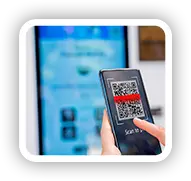
SCAN
Point your phone at any MLAI QR code to get started. No app download, no login — just instant access to the product.
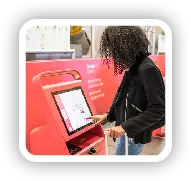
FILL DETAILS
Enter your basic information in a clean, straightforward form. Takes under a minute to complete.

GENERATE PASS
Your digital pass is generated instantly! verified, professional, and ready to use right away.